
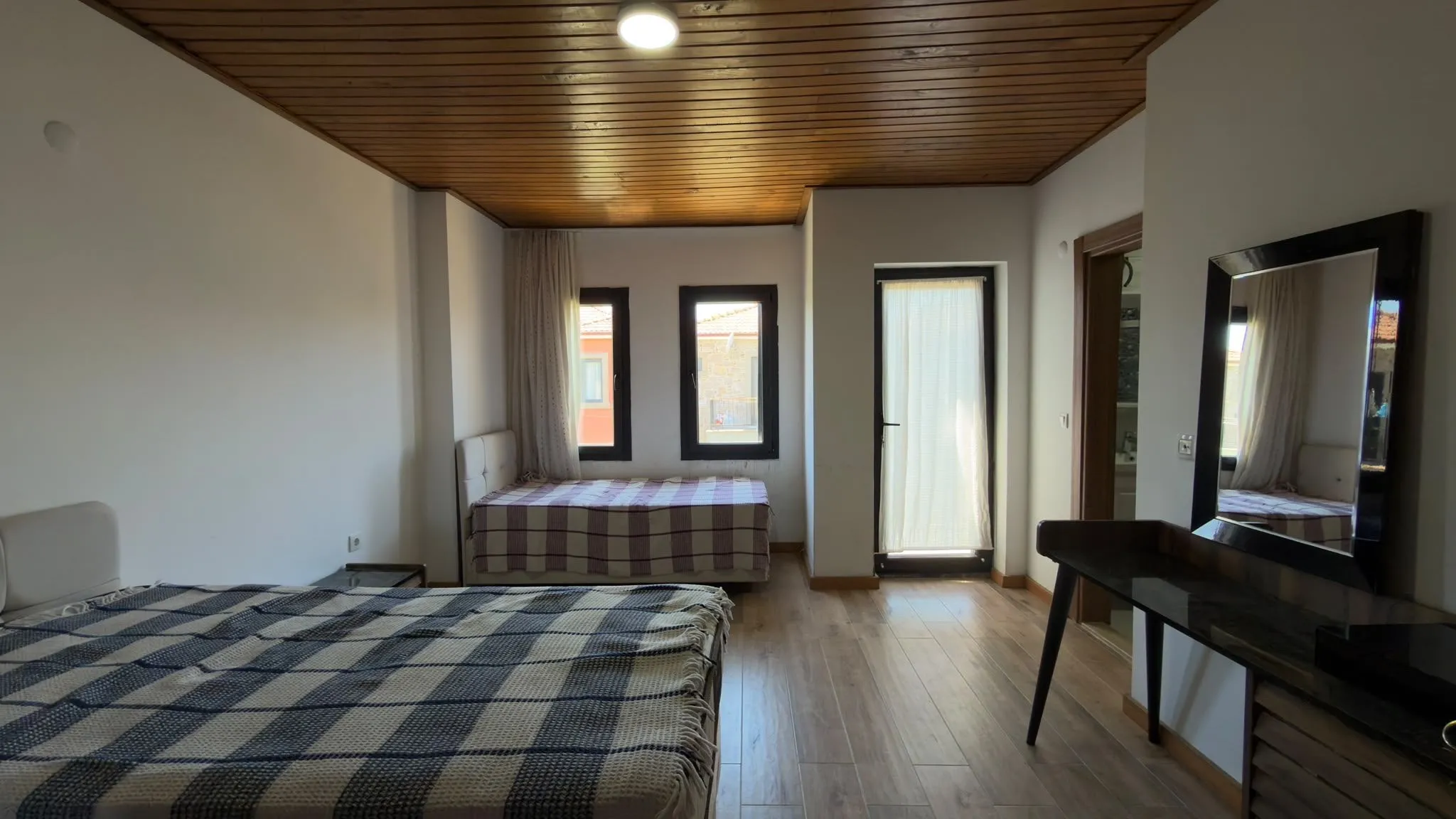
MLS photo requirements are set by each MLS, not nationally. Their rules usually cover six things: file size and type, the maximum number of photos, a required exterior photo, banned content such as branding and signs, how to disclose edited photos, and who may upload them. As of October 2026, the four MLSs in the size table below allow 40 to 150 photos per listing, all accept JPEG, and a landscape JPEG about 2000 pixels on the long edge fits all their size guidance.
What do MLS photo requirements cover?
MLS photo requirements are the rules a multiple listing service sets for the images agents upload. They live in two places: the MLS’s rules and regulations, which carry fines, and its help center, which gives the technical limits of the upload tool.
| Requirement | What it controls | Where to look |
|---|---|---|
| Size and file type | Pixels, file size, accepted formats | Help center, upload screen |
| Photo count | How many photos a listing can hold | Help center, upload screen |
| Required photos | Which photo goes first, and by when | Rules and regulations |
| Content | Branding, signs, people, text on photos | Rules and regulations |
| Edited photos | What you may change and how to disclose it | Rules and regulations |
| Ownership | Who may upload a photo | Rules and regulations |
“MLS-ready” photos simply meet your MLS’s rules before upload. No app or export setting makes a photo ready for every MLS at once, because the rules differ.
What size do MLS photos need to be, and how many can you upload?
There is no national MLS photo size. Bright MLS and MLS Now recommend at least 1024 x 768 pixels, and about 2000 pixels on the long edge fits all four MLSs below. Check both edges: a 3:2 photo has to be at least 1152 x 768 to meet a 1024 x 768 recommendation.
| MLS | Photos per listing | Size guidance | File types | Source |
|---|---|---|---|---|
| Bright MLS | Up to 150 | 1024 x 768 px or larger recommended | .jpg | Bright MLS support |
| CRMLS (Flexmls) | 75 | Max 15 MB or 3000 x 2000 px | .jpg, .png, .gif, .tif and others | CRMLS knowledge base |
| SmartMLS (connectMLS) | Up to 40 | 1920 x 1080 px or larger for best quality; 40 MB limit | JPEG; others converted | SmartMLS help |
| MLS Now | 50 | Recommended: at least 1024 x 768 px, no larger than 6 MB, landscape | JPG only | MLS Now support |
What this means in practice:
- Use JPEG. It is the one format all four accept. If your iPhone saves HEIC files, SmartMLS’s help page explains switching to Settings > Camera > Formats > Most Compatible. Our iPhone listing photo guide covers the other settings.
- Shoot in landscape. MLS Now asks for horizontal photos.
- Watch file size. Full-resolution phone photos can exceed limits or recommendations such as MLS Now’s 6 MB. Our free listing photo resizer resizes a whole set in your browser.
- Know the limit before the shoot, so you shoot what you can upload.
Which photos are required, and in what order?
Expect to need a front exterior photo, often within a day or two of entering the listing and often in the first slot. CRMLS, Stellar MLS, OneKey MLS and MLS Now all require an exterior photo, with some exceptions, but their deadlines and slots differ:
- CRMLS: at least one photo showing a substantial portion of the exterior within two calendar days of entry; it does not have to be the primary photo (CRMLS photographs and media FAQs).
- Stellar MLS: a front exterior photo, rendering, aerial or water view before the listing goes active, with the front exterior first (or second after an aerial or water view) and no collage first (Stellar MLS Article 04.05).
- OneKey MLS: a front exterior photo within 24 hours of entry, and the front exterior as the primary photo upon closing (OneKey MLS photograph rule).
- MLS Now: a front exterior as the primary photo within 48 hours, unaltered and current, except renderings for new construction (MLS Now photo rules).
An order that meets all four of these rules: an unedited front exterior first, then the main living areas, kitchen, bedrooms, bathrooms and outdoor space.
What cannot appear in MLS photos?
Leave out anything that markets you or your brokerage: logos, contact details, signs, watermarks and text. Some MLSs also ban people. Here is how three MLSs word it:
- Branding: CRMLS counts signs, contact details, logos, slogans and team names as branding, and issues a citation with an immediate fine (CRMLS FAQs).
- Text and graphics: Stellar MLS bans logos, agent photos, contact information and text or graphics of any kind, apart from its own watermark (Stellar MLS Article 04.05).
- Watermarks and overlays: MLS Now prohibits watermarks, marketing overlays, QR codes and “For Sale” signs (MLS Now photo rules).
- People: Stellar MLS does not allow photos featuring people, CRMLS counts identifiable people as branding, and MLS Now prohibits photos of the agent. Check mirrors and glass doors for your reflection.
How do MLS rules treat edited and virtually staged photos?
All three MLSs below require virtually staged photos to be disclosed, but they disagree on where the disclosure goes:
| MLS | What must be disclosed | Where | Never allowed |
|---|---|---|---|
| CRMLS (Rule 11.5.2) | Edits that add, remove or change furniture or appliances | “Virtually Staged” or “Digitally Altered” in the photo’s text field, original placed right before or after | Altering real property (unless it will be improved to match by closing) or anything outside it, such as the view |
| Stellar MLS (Article 04.04) | Virtually staged photos | “Virtually staged” in the photo description, the staged field checked, and a public remarks statement | Staging exteriors (apart from unattached furniture or decor), changing fixtures, hiding damage, distorting room size, words on photos |
| MLS Now (Rule 3.3) | Staging, exposure and white balance edits, other altered images | A label on the photo itself, repeated in the caption | Changing permanent features, hiding defects, showing upgrades that are not there |
Sources: CRMLS digitally altered images FAQ, Stellar MLS Article 04.04, MLS Now photo rules.
The rules conflict: MLS Now wants a label on the photo, Stellar MLS forbids words on photos. Follow your own MLS’s wording and placement; a label MLS Now requires would break Stellar MLS’s rules.
State law can add to this. In California, AB 723 has applied since January 1, 2026. Real estate licensees, and people acting for them, who advertise a property for sale with a digitally altered image must say so and link to the unaltered original (California AB 723). The law excludes common adjustments such as lighting, white balance, color correction, exposure, straightening and cropping when they do not change how the property is represented. The NAR Code of Ethics requires REALTORS® to “present a true picture” in their advertising (NAR Code of Ethics, Article 12).
Keep the untouched original of every photo you edit. For digitally altered images, CRMLS requires the original in the listing right before or after the altered photo, and MLS Now may ask for originals.
Who can upload the photos?
Only photos you own or are licensed to use. CRMLS requires written permission from the photographer, or from a seller who took the photos, and prohibits reusing MLS photos even with the owner’s permission (CRMLS FAQs). Stellar MLS allows another member’s photos in a later listing of the same property only with a license from the owner (Stellar MLS Article 04.05). If you hire a photographer, confirm their license covers MLS use before the shoot.
How to find your MLS’s photo rules
Your MLS’s own documents are the only reliable source, and they change; CRMLS and Stellar MLS both updated theirs in 2026.
- Search your MLS’s help center for “photo” or “photo specifications”.
- Search the rules and regulations for “photo”, “branding” and “virtually staged” or “digitally altered”.
- Read the photo upload screen, which may show the current limit.
- Ask the compliance team when a rule is unclear, and note the date you checked.
How to export MLS photos in CurbShot
CurbShot is a phone app that prepares listing photos and exports them in presets, including one for the MLS. It does not know your MLS’s rules, so check them first.
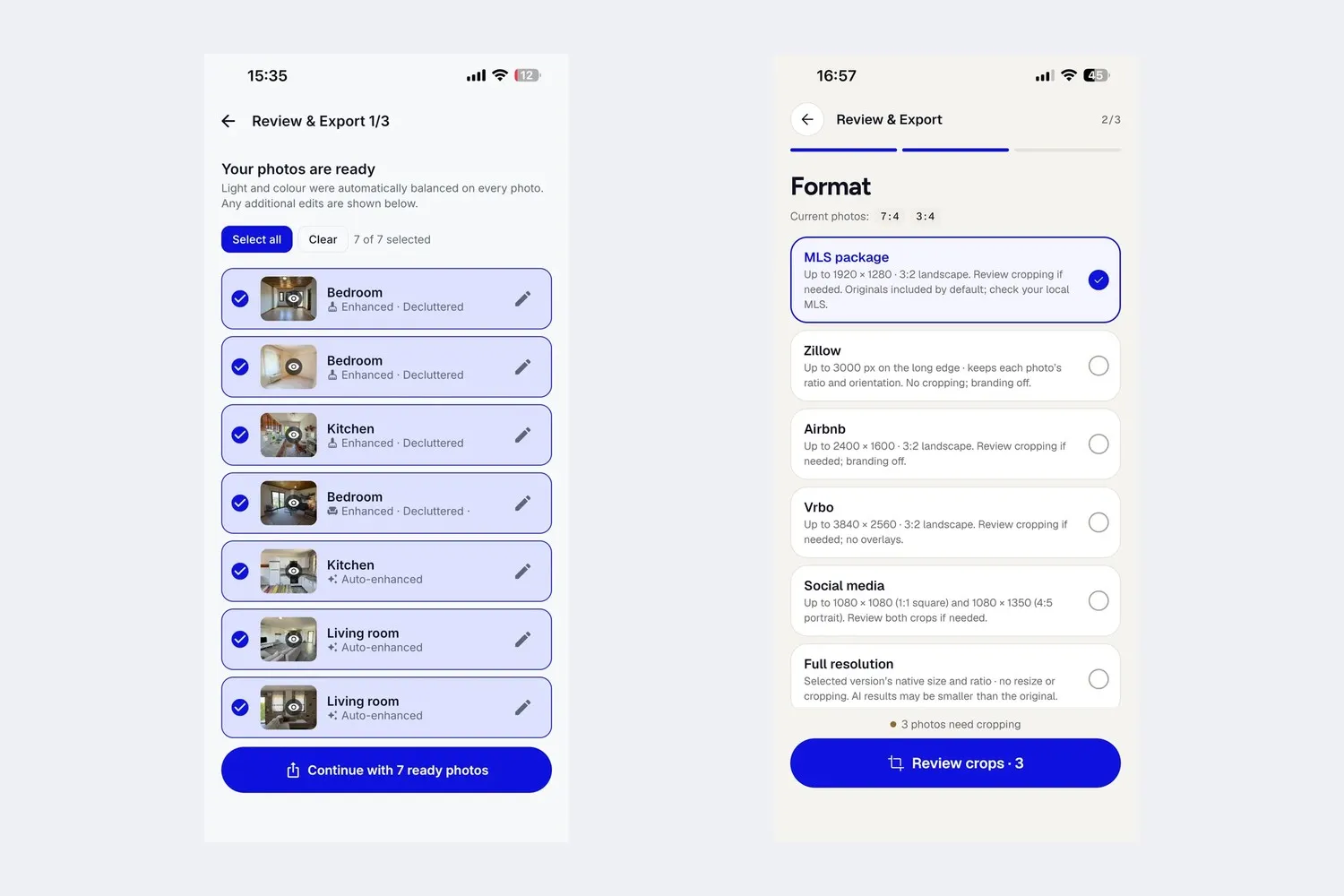
- Review the list. The first export screen shows every photo and what was done to it, such as Auto-enhanced or Decluttered.
- Choose the MLS package. It exports JPEGs at up to 1920 x 1280 pixels in 3:2 landscape. At full size that is within the size guidance of all four MLSs above; smaller originals are not upscaled. You approve each crop.
- Upload originals only where your MLS asks. The package includes each untouched original by default. Each one you upload counts toward the photo limit, so add them only where required, as in CRMLS, right next to the edit. Originals keep their imported format, so a HEIC original stays HEIC.
- Add only the labels your MLS asks for. The on-image “VIRTUALLY STAGED” label is off by default for MLS exports, because some MLSs forbid text on photos; turn it on for staged photos if your MLS wants the label on the image. It covers staging only. CurbShot corrects light and color on every photo, so if your MLS also wants those edits labeled, as MLS Now does, add that label yourself.
- Paste the disclosure line. The
what-was-done.txtfile in every export has one line per photo for the caption or remarks field, such as “Digitally altered: virtually staged with furniture that is not in the property.”
See the full flow on the CurbShot home page.